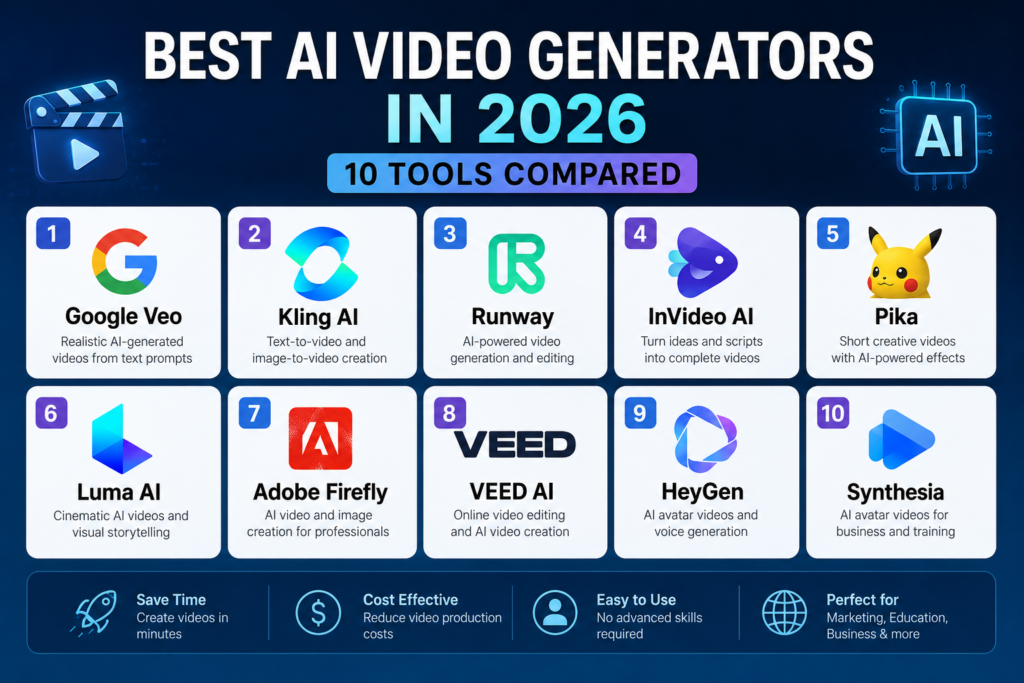
The best AI video generators in 2026 can help creators, marketers, businesses, educators, and content teams turn text prompts, images, scripts, and ideas into professional-looking videos faster than traditional production workflows.
AI video generation has developed quickly, but different platforms are designed for different needs. Some focus on realistic text-to-video generation, while others are better for avatars, marketing videos, social content, cinematic scenes, editing, or business presentations.
In this guide, we compare the best AI video generators in 2026 based on video quality, realism, creative control, editing capabilities, generation speed, ease of use, and practical use cases.
When comparing the best AI video generators in 2026, it is important to look beyond basic text-to-video generation. Video quality, consistency, editing capabilities, generation speed, pricing, ease of use, and commercial usage rights can all affect which tool is the right choice.
Best AI Video Generators in 2026: Quick Comparison
| AI Video Generator | Best For | Main Strength |
|---|---|---|
| Google Veo | Realistic AI video | High-quality generative video and cinematic scenes |
| Kling AI | Text-to-video and image-to-video | Realistic motion and creative control |
| Runway | Professional AI video | AI-powered generation and creative workflows |
| InVideo AI | Marketing and social videos | Script-to-video and editing workflows |
| Pika | Creative short videos | Fast AI-powered visual effects and video creation |
| Luma AI | Cinematic video | Visual storytelling and generative video |
| Adobe Firefly | Creative professionals | AI-assisted video creation and Adobe integration |
| VEED | Online video editing | AI video creation and browser-based editing |
| HeyGen | AI avatars and business videos | AI avatars, presenters, and multilingual video |
| Synthesia | Business and training videos | AI presenters and professional video production |
What Are AI Video Generators?
AI video generators are software platforms that use artificial intelligence to create or transform video content from text prompts, images, scripts, audio, or other inputs.
Depending on the platform, an AI video generator may create realistic scenes, animate images, generate presenters, produce marketing videos, transform scripts into video, or provide AI-assisted editing features.
The best tool depends on your goals. A filmmaker may prioritize realism and cinematic control, while a marketer may care more about speed, templates, voiceovers, captions, and publishing workflows.
How to Choose the Best AI Video Generators in 2026
Choosing the best AI video generators in 2026 depends on what you want to create. Beginners may prioritize ease of use, while professional creators may care more about video quality, consistency, editing controls, generation speed, and commercial usage options.
- Video quality: Look for realistic motion, detailed scenes, natural lighting, and consistent output.
- Text-to-video: Check how accurately the platform follows detailed prompts.
- Image-to-video: Consider whether you can animate existing images or artwork.
- Creative control: Look for camera controls, motion settings, styles, and scene consistency.
- Editing: Consider whether the platform includes trimming, captions, audio, transitions, or other editing features.
- Avatars: If you create training or business videos, check presenter and avatar capabilities.
- Speed: Compare how quickly the platform can generate usable results.
- Commercial use: Review the licensing and usage terms for your intended projects.
- Price: Compare credits, generation limits, resolution, and available plans.
1. Google Veo
Google Veo: One of the Best AI Video Generators in 2026
Google Veo is Google’s advanced AI video generation technology, designed to create videos from text prompts and other creative inputs. It is particularly useful for generating realistic scenes, cinematic visuals, and short video clips.
Google Veo is a strong option for creators looking for high-quality AI video generation. Its ability to create realistic scenes and cinematic visuals makes it worth considering when comparing the best AI video generators in 2026.
Learn more about Google’s current generative AI video technology through the official Google DeepMind Veo page.
Why consider Google Veo?
- High-quality generative video
- Realistic scenes and motion
- Cinematic visual generation
- Useful for creative experimentation
- Strong option for creators exploring advanced AI video
Best for: Creators and professionals who prioritize realistic and cinematic AI-generated video.
2. Kling AI
Best for: Text-to-video and image-to-video generation
Kling AI is an AI video generation platform that can create short videos from text prompts and images. It is popular among creators who want to experiment with realistic motion, cinematic scenes, and visual storytelling without traditional video production skills.
Kling AI can be useful for social media clips, creative experiments, product concepts, and short-form video projects.
Explore the official Kling AI website for its current video generation capabilities.
Why consider Kling AI?
- Text-to-video generation
- Image-to-video capabilities
- Realistic motion
- Creative visual effects
- Useful for short-form projects
Best for: Creators looking for flexible text-to-video and image-to-video generation.
3. Runway
Best for: Professional AI video creation
Runway is a creative AI platform focused on video generation, transformation, and editing. It is designed for creators who want more control over AI-assisted production rather than simply generating a basic video from a prompt.
Runway can fit workflows involving filmmaking, advertising, creative experimentation, visual effects, and content production.
Visit the official Runway website to explore its current AI video tools.
Why consider Runway?
- AI video generation
- Creative production workflows
- Video transformation tools
- Useful for professional creators
- Suitable for advertising and visual experimentation
Best for: Professional creators, filmmakers, marketers, and teams building AI-assisted video workflows.
4. InVideo AI
Best for: Marketing and social media videos
InVideo AI focuses on turning ideas, prompts, and scripts into complete video projects. It can be useful for marketers, creators, publishers, and businesses that need to produce videos quickly without managing every part of a traditional production process.
Its workflow is particularly useful for explainer videos, social content, marketing videos, and other projects where speed and convenience matter.
Learn more on the official InVideo AI website.
Why consider InVideo AI?
- Prompt-to-video workflows
- Script-based video creation
- Useful for marketing content
- Helpful for social media videos
- Fast content production
Best for: Marketers, creators, and businesses that want to turn scripts and ideas into videos quickly.
5. Pika
Best for: Creative short-form AI videos
Pika is an AI video creation platform focused on creative video generation and visual effects. It can be useful for creators who want to transform ideas, images, and prompts into short, engaging videos.
Pika is particularly interesting for social media content and creative experimentation where unusual visual effects and fast generation are valuable.
Explore the official Pika website for its current AI video features.
Why consider Pika?
- Creative AI video generation
- Short-form content
- Image animation
- Visual effects
- Useful for social media experimentation
Best for: Creators who want quick and creative short-form AI video content.
6. Luma AI
Best for: Cinematic AI video and visual storytelling
Luma AI provides generative AI tools for creating and working with visual media. Its video capabilities can be useful for cinematic concepts, visual storytelling, creative scenes, and experimental content.
For creators comparing the best AI video generators in 2026, Luma AI is worth considering when visual quality and creative exploration are important.
Visit the official Luma AI website for its current generative video products.
Why consider Luma AI?
- Cinematic visual generation
- Generative video workflows
- Creative experimentation
- Visual storytelling
- Useful for creators
Best for: Creators interested in cinematic AI-generated video and visual storytelling.
7. Adobe Firefly
Best for: Creative professionals and Adobe workflows
Adobe Firefly brings generative AI capabilities into Adobe’s creative ecosystem. Its video-related features are useful for creators who want AI-assisted generation and creative workflows alongside established design and editing tools.
For professional teams already using Adobe products, Firefly can be attractive because AI-assisted creation can fit into broader creative workflows.
Explore the official Adobe Firefly AI video generator page.
Why consider Adobe Firefly?
- AI-assisted video creation
- Professional creative workflows
- Integration with Adobe tools
- Useful for marketers and designers
- Suitable for creative production
Best for: Designers, marketers, agencies, and creative professionals working in the Adobe ecosystem.
8. VEED
Best for: Online video creation and editing
VEED is an online video platform that combines editing with AI-assisted content creation. It can be useful for creators and businesses that want to produce videos in a browser without relying on complex desktop editing software.
VEED can support workflows involving social media videos, subtitles, marketing content, presentations, and other online video projects.
See the official VEED AI video generator page.
Why consider VEED?
- Browser-based video editing
- AI video creation
- Captions and subtitles
- Useful for social media content
- Accessible to beginners
Best for: Creators and businesses that want AI video creation combined with straightforward online editing.
9. HeyGen
Best for: AI avatars and business videos
HeyGen focuses on AI-generated presenter and avatar videos. It can help businesses create training, marketing, sales, educational, and communication videos without traditional filming.
Its avatar-focused approach makes it different from cinematic text-to-video platforms. It is particularly useful when a realistic digital presenter is more important than generating an entirely new visual scene.
Learn more on the official HeyGen website.
Why consider HeyGen?
- AI avatars
- Digital presenters
- Business and training videos
- Multilingual video workflows
- Useful for marketing and communications
Best for: Businesses, educators, sales teams, and marketers who need presenter-based AI videos.
10. Synthesia
Best for: Business, training, and educational videos
Synthesia is an AI video platform designed around digital presenters and professional business video production. It can help organizations create training, onboarding, educational, internal communication, and customer-facing videos.
For companies that need repeatable video production without traditional filming, Synthesia can provide a structured workflow using AI presenters and templates.
Explore the official Synthesia website for its current AI video capabilities.
Why consider Synthesia?
- AI presenters
- Training and onboarding videos
- Business communications
- Professional video templates
- Useful for organizations and teams
Best for: Businesses, training teams, educators, and organizations producing presenter-based videos at scale.
AI Video Generators vs Traditional Video Production
AI video generators do not completely replace traditional video production. Instead, they can reduce the time and cost required for certain types of projects.
Traditional production remains valuable when projects require real actors, physical locations, complex cinematography, detailed art direction, or highly controlled performances. AI video tools are particularly useful for concepts, prototypes, social media content, explainers, visual experiments, and repeatable business videos.
The best workflow may combine both approaches depending on the project.
Which AI Video Generator Is Best for Beginners?
For beginners, the best AI video generators in 2026 are usually platforms that provide simple prompts, templates, guided workflows, and accessible editing tools.
Tools such as InVideo AI and VEED can be useful for beginners who want to create complete videos without learning professional editing software. Users interested in more advanced generative video can explore platforms such as Google Veo, Kling AI, Runway, and Luma AI.
Which AI Video Generator Is Best for Social Media?
Social media creators generally need speed, short formats, captions, attractive visuals, and easy editing. Pika, InVideo AI, VEED, and similar platforms can be useful for these workflows.
The best choice depends on whether you need cinematic generation, script-to-video production, editing, or fast creative effects.
Which AI Video Generator Is Best for Business?
Businesses often need training videos, marketing videos, product explainers, presentations, and internal communications. HeyGen and Synthesia are especially relevant when AI presenters and repeatable business workflows are important.
For broader creative campaigns, platforms such as Runway, Adobe Firefly, and InVideo AI can also be useful depending on the type of content being produced.
How to Build an AI Video Workflow
A practical AI video workflow can combine several tools and human review steps instead of relying on one platform for everything.
- Define the goal: Decide whether the video is for marketing, education, social media, entertainment, training, or another purpose.
- Write the concept: Develop the idea, script, narration, and key scenes.
- Create visual assets: Generate or collect images, characters, backgrounds, and other assets.
- Generate the video: Use an AI video generator that matches your required style and level of control.
- Edit: Add narration, music, captions, transitions, branding, and other finishing elements.
- Review: Check visual consistency, facts, pronunciation, timing, and brand requirements.
- Publish: Export the appropriate format for your website, social network, campaign, or internal platform.
- Improve: Use audience feedback and performance data to improve future videos.
How Much Time Can AI Video Generators Save?
The biggest advantage of AI video generators is often speed. A creator can move from an idea or script to a first visual draft much faster than with a traditional production workflow.
However, generated video still requires review and editing. AI output can contain visual inconsistencies, incorrect details, unnatural motion, or other issues that need human attention.
The actual time savings depend on the complexity of the project, the tool, the quality of the initial prompt, and the amount of editing required after generation.
Best AI Video Generators in 2026: Final Verdict
The best AI video generators in 2026 are not all designed for the same purpose.
Google Veo is a strong option for realistic and cinematic generative video. Kling AI is useful for text-to-video and image-to-video experimentation, while Runway is attractive to professional creators who want broader AI-assisted production workflows.
InVideo AI is useful for marketers and creators who want to turn scripts and ideas into complete videos quickly. Pika is well suited to creative short-form content, while Luma AI is worth considering for cinematic visual storytelling.
Adobe Firefly can fit professional creative workflows, while VEED combines AI video creation with accessible browser-based editing. HeyGen and Synthesia are particularly useful for presenter-based business, training, and educational videos.
Overall recommendation: Choose the AI video generator based on the type of video you actually need. Do not select a tool simply because it has the largest feature list. Test the output quality, workflow, editing requirements, licensing, and total cost before committing to a long-term subscription.
Frequently Asked Questions
What are the best AI video generators in 2026?
Some leading options include Google Veo, Kling AI, Runway, InVideo AI, Pika, Luma AI, Adobe Firefly, VEED, HeyGen, and Synthesia. The best choice depends on whether you need cinematic generation, social media content, editing, avatars, or business videos.
What is the best AI video generator for realistic videos?
Realistic video quality depends on the prompt, model, scene, and generation settings. Google Veo, Kling AI, Runway, and Luma AI are among the platforms worth evaluating when realism and cinematic output are important.
Can AI generate videos from text?
Yes. Many modern AI video platforms can generate video clips from text prompts. The amount of control and the quality of the output vary between platforms.
Can AI turn images into videos?
Yes. Several AI video generators support image-to-video workflows, allowing users to animate still images, artwork, product images, or other visual assets.
Which AI video generator is best for social media?
The best option depends on the type of social content. Pika can be useful for creative short videos, while InVideo AI and VEED can be useful for script-based and edited social content.
Which AI video generator is best for business?
HeyGen and Synthesia are strong options for presenter-based business videos, training, onboarding, and educational content. Other platforms may be better for creative advertising and cinematic campaigns.
Can AI video generators replace video editors?
AI can automate parts of video production and editing, but human review remains important for storytelling, pacing, branding, accuracy, visual consistency, and final quality.
Are AI-generated videos copyright-free?
Not necessarily. Rights and permitted uses depend on the platform, the content used to create the video, the subscription plan, and applicable laws. Always review the current terms and commercial-use policies of the platform before using generated content commercially.
Explore More AI Tool Scope Guides
If you want to explore related AI software, check out these guides from AI Tool Scope:
- Best AI Marketing Tools in 2026
- Best AI SEO Tools in 2026
- Best AI Writing Tools in 2026
- Best AI Productivity Tools in 2026
- Best AI Research Tools in 2026
- Best AI Image Generators in 2026
- Best AI Presentation Makers in 2026
Final Thoughts
AI video generators are becoming an important part of modern content production. They can help creators and businesses turn ideas into visual content faster, experiment with new concepts, and reduce repetitive production work.
The most effective approach is not to rely on AI without review. Use AI to accelerate production while keeping human control over the script, creative direction, factual accuracy, brand requirements, licensing, and final quality.
Start with the biggest bottleneck in your video workflow, test a small number of platforms, and measure whether the results justify the cost and time saved.
For more AI comparisons, practical guides, and recommendations, continue exploring AI Tool Scope.