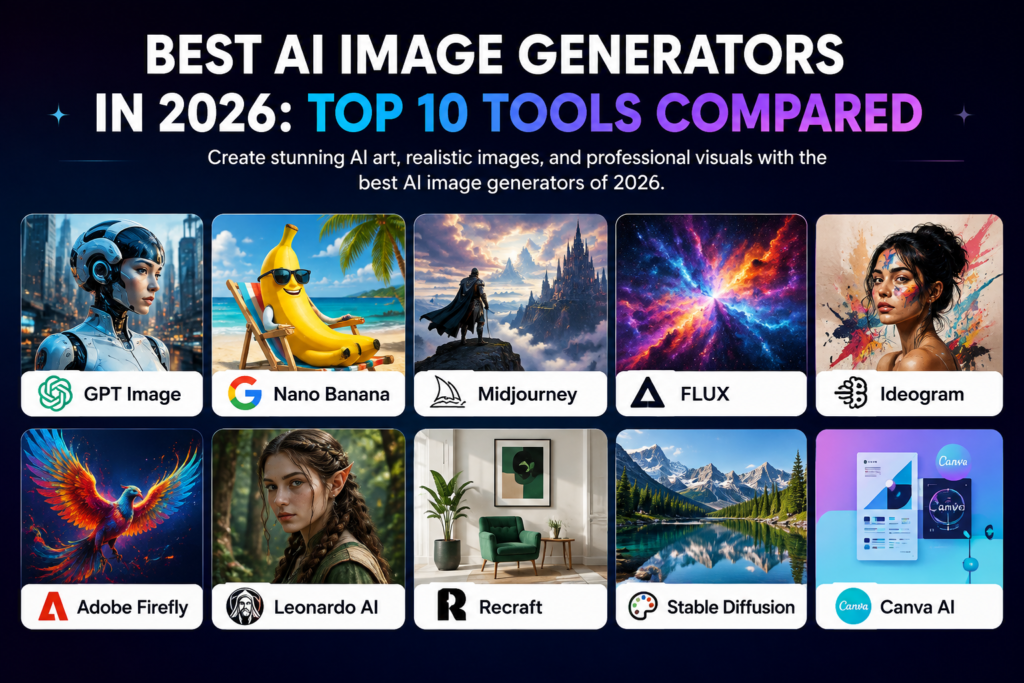
The best AI image generators in 2026 can help creators, marketers, designers, bloggers, businesses, and social media teams turn text prompts into images, illustrations, product visuals, marketing graphics, and creative concepts.
AI image generation has moved beyond simple text-to-picture experiments. Modern tools can create realistic images, illustrations, advertising concepts, product scenes, portraits, social media graphics, and other visual assets. The strongest platform depends on the type of image you need, the level of control you want, your workflow, and your budget.
In this guide, we compare the best AI image generators in 2026 based on image quality, prompt understanding, creative control, editing capabilities, ease of use, commercial workflows, and practical value.
Best AI Image Generators in 2026: Quick Comparison
| AI Image Generator | Best For | Main Strength | Ease of Use |
|---|---|---|---|
| Midjourney | Creative images | Art direction and visual quality | Good |
| ChatGPT Image Generation | General image creation | Prompt-based creation and editing | Excellent |
| Adobe Firefly | Design workflows | Creative editing and Adobe integration | Excellent |
| Ideogram | Text in images | Typography and graphic design | Excellent |
| Leonardo AI | Creative production | Image generation and customization | Good |
| Google Gemini | General AI images | Conversational creation and editing | Excellent |
| Canva AI | Marketing graphics | AI generation inside a design workflow | Excellent |
| Stable Diffusion | Customization | Flexible open ecosystem | Advanced |
| FLUX | High-quality generation | Prompt following and visual realism | Good |
| Recraft | Design assets | Graphics, vectors, and brand-oriented visuals | Excellent |
What Are AI Image Generators?
AI image generators are software tools that use generative artificial intelligence to create or transform images from text prompts, reference images, sketches, or other instructions.
Depending on the platform, an AI image generator may create photorealistic scenes, illustrations, artwork, product concepts, logos, advertising visuals, thumbnails, social media graphics, or design elements.
The phrase best AI image generator 2026 does not describe one universal winner. Different generators are optimized for different jobs. A designer may prioritize editing and typography, while a creative professional may care more about artistic control and visual style.
If you are comparing AI tools more broadly, see our Best AI Marketing Tools in 2026 guide. For video creation, explore our Best AI Video Generators in 2026 comparison.
How We Compare the Best AI Image Generators in 2026
We focus on practical differences rather than claiming that one model is universally better than every other model.
- Image quality: How well the tool produces detailed and visually coherent results.
- Prompt understanding: How accurately it follows complex instructions.
- Text rendering: How effectively it handles words, labels, posters, and other typography.
- Creative control: How much control users have over composition, style, references, and variations.
- Editing: Whether the platform can modify existing images or selected areas.
- Workflow: How easily images can move into design, marketing, publishing, or production workflows.
- Ease of use: Whether beginners can get useful results without a complicated setup.
1. Midjourney
Best for: Creative image generation and visual exploration
Midjourney is widely associated with highly stylized AI image generation and creative visual exploration. It can be particularly useful when the goal is to develop concepts, artwork, environments, characters, editorial visuals, and distinctive visual styles.
Its strength is often the ability to produce visually polished concepts from relatively short creative prompts. It can therefore appeal to artists, designers, creators, and marketers who care strongly about aesthetics.
Visit the official Midjourney website to explore its current image-generation workflow.
Why consider Midjourney?
- Strong creative image generation
- Useful for concept development
- Wide range of visual styles
- Useful for designers and creators
- Strong option for visual experimentation
Best for: Creators and designers who prioritize visual quality and artistic exploration.
2. ChatGPT Image Generation
Best for: General-purpose image creation and editing
ChatGPT can be useful when image generation is part of a conversational workflow. Instead of treating the image prompt as a single isolated instruction, users can describe what they want, review the result, and refine the request through additional instructions.
This can be useful for creating illustrations, marketing concepts, diagrams, social graphics, mockups, and other visual assets where iterative prompting matters.
Explore ChatGPT for its current image-generation capabilities.
Why consider ChatGPT for images?
- Conversational image creation
- Useful for iterative prompting
- Can support image editing workflows
- Useful for general creative tasks
- Accessible to non-designers
Best for: Users who want image generation integrated into a broader AI assistant workflow.
3. Adobe Firefly
Best for: Professional design and creative workflows
Adobe Firefly is designed to integrate generative AI into creative workflows. It can be useful for generating images and creative assets while working within the broader Adobe ecosystem.
For designers and marketing teams already using Adobe applications, integration can be an important advantage because AI generation can become part of an existing editing and production process.
Explore the official Adobe Firefly platform for its current image-generation and creative features.
Why consider Adobe Firefly?
- Designed for creative professionals
- Useful for image generation and editing
- Fits broader Adobe workflows
- Useful for marketing assets
- Strong option for design teams
Best for: Designers, marketers, and creative teams already working with Adobe tools.
4. Ideogram
Best for: Images that contain readable text
Ideogram is particularly interesting for graphics where typography and image generation need to work together. This can include posters, social media graphics, logos, promotional concepts, headlines, and other designs containing visible text.
When a visual project requires both generated imagery and typography, a tool with a strong focus on text rendering can be more useful than a general image generator.
Visit the official Ideogram website to explore its current features.
Why consider Ideogram?
- Strong focus on text in images
- Useful for posters and graphics
- Helpful for marketing concepts
- Easy to experiment with visual layouts
- Useful for social media creatives
Best for: Marketers, designers, and creators who frequently need readable text inside generated images.
5. Leonardo AI
Best for: Creative production and image customization
Leonardo AI provides a broad creative environment for generating and working with AI images. It can be useful for concept art, marketing visuals, game-related assets, illustrations, and other creative projects.
Users who want more control over creative output may find its range of generation and customization features useful.
Explore the official Leonardo AI website for current image-generation capabilities.
Why consider Leonardo AI?
- Broad creative workflow
- Useful for concept art
- Image customization options
- Useful for creators and designers
- Suitable for different visual projects
Best for: Creators who want a flexible environment for generating and refining visual assets.
6. Google Gemini
Best for: Conversational image creation and general AI workflows
Google Gemini can be useful for users who want image generation as part of a conversational AI experience. This approach makes it possible to describe a visual idea, refine it through conversation, and combine image tasks with other AI-assisted work.
It can be particularly convenient when image creation is only one part of a larger workflow involving research, writing, brainstorming, or planning.
Explore Google Gemini for current capabilities.
Why consider Gemini?
- Conversational workflow
- Useful for brainstorming visuals
- Can combine image tasks with other AI work
- Accessible to general users
- Useful for creative ideation
Best for: Users who want image generation combined with a general AI assistant.
7. Canva AI
Best for: Marketing graphics and social media content
Canva is especially useful when generated images need to become finished marketing designs. Rather than stopping at image generation, users can place visual assets into social posts, presentations, advertisements, thumbnails, banners, and other layouts.
This makes Canva attractive to small businesses, creators, marketers, and teams that need complete visual assets rather than isolated generated images.
Explore Canva Magic Studio for its current AI-powered creative features.
Why consider Canva AI?
- AI generation inside a design platform
- Useful for social media
- Helpful for marketing graphics
- Easy design workflow
- Useful for non-designers
Best for: Businesses and creators who need generated images turned into finished marketing designs.
8. Stable Diffusion
Best for: Customization and flexible AI image workflows
Stable Diffusion is associated with a broad ecosystem of models, interfaces, extensions, and customization options. It can appeal to advanced users who want greater control over how image generation works.
The flexibility can be an advantage for technical creators, but it can also make the learning curve higher than that of simpler web-based image generators.
Learn more through the official Stability AI image platform.
Why consider Stable Diffusion?
- Flexible ecosystem
- High level of customization
- Useful for advanced workflows
- Large creative community
- Suitable for experimentation
Best for: Advanced users who want flexibility and more control over image-generation workflows.
9. FLUX
Best for: High-quality AI image generation
FLUX refers to a family of image-generation models and tools associated with Black Forest Labs. It has attracted attention for image quality, prompt following, and realistic visual generation.
Depending on the interface used, FLUX can be integrated into different creative workflows. This makes it more useful to think of FLUX as a model ecosystem rather than only one consumer application.
Learn more from the official Black Forest Labs website.
Why consider FLUX?
- High-quality image generation
- Strong prompt interpretation
- Useful for realistic visuals
- Flexible ecosystem
- Useful for creators and developers
Best for: Users looking for high-quality generation and flexible access to modern image models.
10. Recraft
Best for: Graphic design and brand assets
Recraft focuses on AI-assisted visual design and can be useful for graphics, illustrations, vectors, icons, and brand-oriented assets. This makes it relevant to designers and marketing teams that need more than photorealistic images.
For projects involving logos, icons, vector-style graphics, and consistent visual systems, a design-focused AI platform can provide a different value proposition from a purely artistic image generator.
Explore the official Recraft website for current features.
Why consider Recraft?
- Design-focused AI workflow
- Useful for vector-style graphics
- Helpful for icons and brand assets
- Useful for marketing design
- Good fit for creative teams
Best for: Designers and marketers who need editable-looking graphics and brand-oriented visual assets.
Best AI Image Generators in 2026 by Use Case
| Use Case | Tools Worth Considering |
|---|---|
| Creative artwork | Midjourney, Leonardo AI |
| General image generation | ChatGPT, Gemini |
| Professional design workflows | Adobe Firefly, Recraft |
| Text inside images | Ideogram |
| Marketing graphics | Canva, Adobe Firefly |
| Advanced customization | Stable Diffusion |
| High-quality model workflows | FLUX |
What Makes a Good AI Image Generator?
The best AI image generator should not be judged only by how impressive a single sample image looks. A useful tool should produce consistent results across the types of images you actually need.
1. Prompt accuracy
A strong generator should understand objects, relationships, composition, style, lighting, perspective, and other details in a prompt.
2. Image quality
Look for clean details, coherent compositions, realistic textures when appropriate, and fewer visual artifacts.
3. Editing controls
Image generation becomes more useful when you can revise part of an image instead of starting from zero every time.
4. Style control
Creators may need realistic photography, illustration, product imagery, editorial visuals, or a specific artistic direction.
5. Workflow integration
The best tool is often the one that fits the rest of your workflow. Designers may value Adobe integration, while marketers may prefer Canva or another platform that quickly turns images into finished campaign assets.
AI Image Generators for Bloggers and Content Creators
Bloggers do not always need the most advanced image-generation system. In many cases, the most useful features are fast creation, consistent visual style, easy editing, and the ability to create featured images and illustrations for articles.
For content publishers, AI image generation can complement AI writing workflows. If written content is your primary focus, see our Best AI Writing Tools in 2026 guide.
Creators producing video content may also want to compare our Best AI Video Generators in 2026 guide.
AI Image Generators for Marketing
Marketing teams can use AI images for campaign concepts, social media graphics, advertising ideas, product scenes, blog illustrations, thumbnails, and other visual assets.
However, generated images should be reviewed carefully before commercial use. Teams should check accuracy, trademarks, recognizable people, product details, licensing terms, and the specific usage rights provided by the platform.
For broader marketing software, explore our Best AI Marketing Tools in 2026 comparison.
AI Image Generators vs AI Art Generators
The terms AI image generator and AI art generator are often used interchangeably, but they can describe slightly different goals.
An AI image generator may focus on realistic photographs, product scenes, marketing graphics, or general visual creation. An AI art generator may place greater emphasis on illustration, artistic styles, concept art, and creative experimentation.
There is significant overlap between the two categories, so the better question is what type of visual output you need.
How to Get Better Results from AI Image Generators
- Describe the subject: Clearly state what should appear in the image.
- Describe the composition: Explain the camera angle, framing, perspective, or layout when important.
- Specify the style: Mention whether you want photography, illustration, 3D, editorial, minimal, cinematic, or another visual direction.
- Control the environment: Include background, lighting, colors, time of day, and atmosphere.
- Iterate: Refine the prompt instead of expecting the first generation to be perfect.
- Use references when available: Reference images can help communicate composition, subject, or visual direction.
- Review the result: Check details, text, hands, objects, faces, logos, and other elements before publishing.
Are AI Image Generators Worth Paying For?
Paid AI image tools can be worthwhile when you generate images frequently or need advanced features such as higher usage limits, editing, commercial workflows, faster generation, or access to specific models.
For occasional users, a free or limited plan may be enough. Professional creators and businesses should compare the subscription price with the number of images they actually need and the amount of manual design work the tool replaces.
Copyright and Commercial Use
Before using AI-generated images commercially, review the current terms of the specific platform. Commercial rights, ownership, model training policies, restrictions, and available licenses can differ between services and plans.
Businesses should also avoid assuming that every generated image is automatically safe for every commercial purpose. Human review remains important when images contain recognizable people, brands, copyrighted references, or regulated claims.
Best AI Image Generators in 2026: Final Verdict
The best AI image generators in 2026 serve different audiences.
Midjourney is a strong option for creative visual exploration. ChatGPT and Gemini are useful for conversational image workflows. Adobe Firefly fits professional creative workflows, while Ideogram is especially relevant when readable text is part of the image.
Leonardo AI provides a flexible creative environment, while Canva AI is particularly useful when generated images need to become finished marketing designs. Stable Diffusion is attractive to advanced users who want customization, while FLUX offers access to a modern image-model ecosystem. Recraft is worth considering for design-oriented assets.
Overall recommendation: Do not choose an image generator solely because one sample looks better. Test the platform with the exact type of images you plan to create, compare consistency, editing, text rendering, workflow, and usage rights, then choose the tool that fits your real production needs.
Frequently Asked Questions
What are the best AI image generators in 2026?
Leading options include Midjourney, ChatGPT, Adobe Firefly, Ideogram, Leonardo AI, Gemini, Canva AI, Stable Diffusion, FLUX, and Recraft. The best choice depends on whether you prioritize creative artwork, realistic images, design, text rendering, editing, or customization.
What is the best AI image generator in 2026?
There is no single best tool for every user. Midjourney can be attractive for creative visuals, Ideogram for text-heavy graphics, Firefly for Adobe workflows, and ChatGPT or Gemini for conversational image creation.
What is the best AI image generator for realistic images?
The answer can change as models are updated. Compare current outputs from several leading platforms using the same prompt and evaluate realism, consistency, detail, and editing control.
What is the best AI image generator for text?
Ideogram is particularly relevant when readable typography is an important part of the generated image. Other tools can also produce text, but results should be tested for the exact design you need.
What is the best AI image generator for marketing?
Canva AI and Adobe Firefly are useful options for marketing workflows because image generation can be combined with broader design and content-production tasks.
Are AI-generated images free to use commercially?
Not necessarily. Commercial rights depend on the specific platform, plan, terms, and content involved. Always review the current usage terms before using generated images commercially.
Can AI image generators edit existing images?
Many modern platforms support some form of image editing, transformation, expansion, or localized changes. The exact editing capabilities differ significantly between tools.
Can AI image generators create images for blogs?
Yes. They can create featured images, illustrations, diagrams, concept visuals, and social media graphics. Bloggers should still optimize image size, accessibility, filenames, and alt text before publishing.
Explore More AI Tool Scope Guides
- Best AI Marketing Tools in 2026
- Best AI Writing Tools in 2026
- Best AI Video Generators in 2026
- Best AI Presentation Makers in 2026
- Best AI Productivity Tools in 2026
- Best AI Research Tools in 2026
- Best AI SEO Tools in 2026
Final Thoughts
AI image generation is becoming a practical part of content creation, design, marketing, and creative production. The technology can reduce the time required to create visual concepts and can help teams experiment with more ideas.
The strongest approach is to treat AI image generators as creative production tools rather than automatic replacements for human judgment. Define the visual goal, choose a tool that matches the workflow, iterate on the prompt, and review the final image carefully.
For more AI comparisons, practical guides, and recommendations, continue exploring AI Tool Scope.