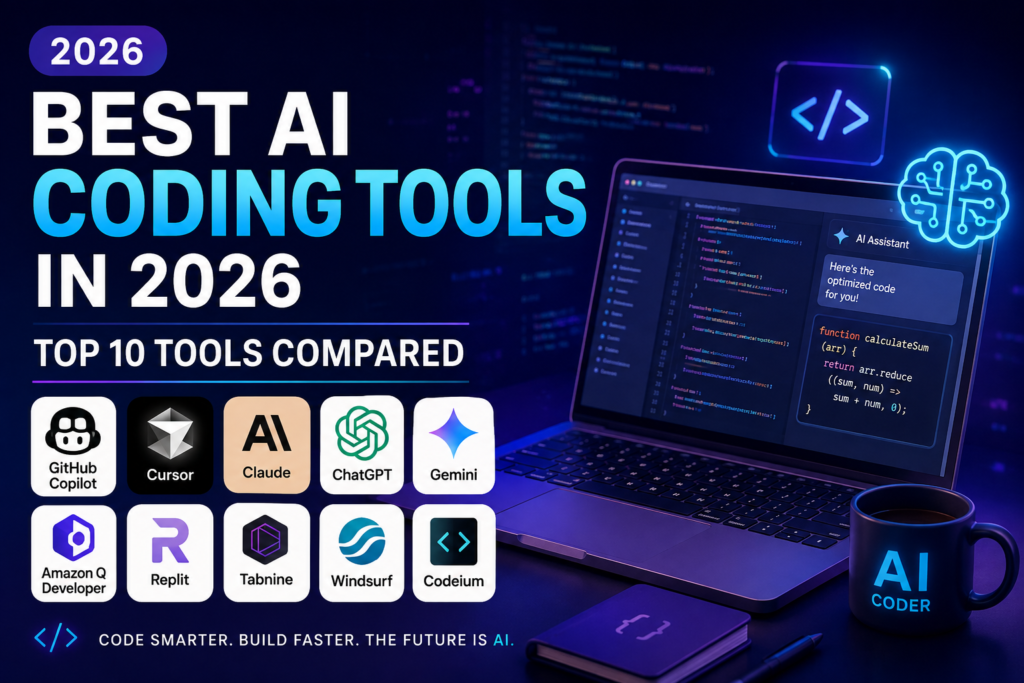
AI coding tools are changing the way developers write, debug, and improve software in 2026. Instead of writing every line of code manually, developers can use AI to generate code, explain programming concepts, find bugs, refactor existing projects, and speed up everyday development tasks.
In this guide, we compare the best AI coding tools in 2026 based on coding capabilities, ease of use, supported workflows, productivity features, and ideal use cases. Whether you are a beginner learning to code, an experienced developer, or a business team building software, the right AI coding assistant can significantly improve your workflow.
How to Choose the Best AI Coding Tools in 2026
The best AI coding tool depends on the type of development work you do and how you prefer to work. Some tools are designed as AI-powered coding assistants inside popular code editors, while others focus on generating complete applications, explaining code, debugging, or helping developers work with large codebases.
When comparing AI coding tools, consider:
- Code generation quality
- Support for different programming languages
- Integration with code editors
- Debugging and code explanation
- Ability to work with existing projects
- Speed and ease of use
- Collaboration features
- Free and paid options
Top 10 AI Coding Tools in 2026
1. GitHub Copilot – Best Overall AI Coding Assistant
GitHub Copilot is one of the most widely used AI coding assistants. It helps developers write code, complete functions, explain code, and work more efficiently inside supported development environments.
Best for:
- Everyday software development
- Code completion
- Learning programming
- Debugging and code explanation
- Professional developers
Main advantage: Strong integration with modern development workflows and GitHub.
Things to consider: Developers should always review generated code for accuracy, security, and compatibility with their project.
Learn more about GitHub Copilot
2. Cursor – Best AI Code Editor
Cursor is an AI-focused code editor designed to help developers understand and modify their codebases using natural-language instructions. It can be particularly useful when working on existing projects because developers can ask questions about their code and request changes across multiple files.
Best for:
- Existing codebases
- AI-assisted programming
- Refactoring
- Debugging
- Developers who want an AI-first editor
Main advantage: Combines a familiar coding environment with powerful AI-assisted workflows.
Things to consider: Developers should review larger changes carefully before accepting them into a production project.
3. Claude Code – Best for Code Reasoning
Claude Code is designed for developers who need help with programming, debugging, code explanation, architecture discussions, and working with large amounts of technical information.
It is especially useful when a task requires understanding a problem before writing the final code.
Best for:
- Code explanation
- Debugging
- Software architecture
- Long coding tasks
- Technical research
Main advantage: Strong natural-language reasoning and detailed explanations.
Things to consider: AI-generated changes should always be reviewed and tested before being used in production.
4. ChatGPT – Best for Coding Help and Learning
ChatGPT can help developers generate code, explain programming concepts, debug errors, write scripts, and explore different technical approaches.
It can be useful for both beginners and experienced developers because users can describe a programming problem in normal language and receive explanations together with potential solutions.
Best for:
- Learning programming
- Debugging
- Code generation
- Technical explanations
- Writing scripts
- Exploring programming ideas
Main advantage: Flexible support across many programming and development tasks.
Things to consider: Generated code should be tested carefully, especially when working with security-sensitive or production systems.
5. Google Gemini – Best for Google Developers
Google Gemini can help with code generation, explanation, debugging, and development-related tasks. It can be particularly useful for developers already working with Google services and the broader Google developer ecosystem.
Best for:
- Code generation
- Programming explanations
- Debugging
- Google ecosystem users
- Learning and experimentation
Main advantage: Strong connection with Google’s AI and developer ecosystem.
Things to consider: The best experience may depend on the development environment and Google services being used.
Learn more about Gemini Code Assist
6. Amazon Q Developer – Best for AWS Development
Amazon Q Developer is designed to assist developers working with AWS and software development workflows. It can help with code generation, explanations, debugging, and tasks connected to cloud development.
Best for:
- AWS developers
- Cloud applications
- Code generation
- Debugging
- AWS-focused development teams
Main advantage: Strong fit for developers working inside the AWS ecosystem.
Things to consider: Its biggest advantages are most relevant to developers who already use AWS services.
Learn more about Amazon Q Developer
7. Windsurf – Best for AI-Assisted Development
Windsurf is an AI-powered development environment designed to help developers write and modify software with natural-language assistance. It can be useful for developers who want an AI-first workflow while maintaining control over their code.
Best for:
- AI-assisted coding
- Code completion
- Multi-file development
- Rapid software development
- Developers looking for AI-native workflows
Main advantage: AI-assisted development integrated directly into the coding workflow.
Things to consider: Developers should compare its workflow with other AI-native editors before choosing a long-term development environment.
8. Replit – Best for Beginners and Browser-Based Coding
Replit provides a browser-based development environment that makes it easier to start coding without setting up a traditional local development environment. Its AI features can help users build, modify, and understand applications.
Best for:
- Beginners
- Learning programming
- Rapid prototypes
- Browser-based development
- Small projects
Main advantage: Easy access to development tools without requiring a complex local setup.
Things to consider: Professional developers with advanced local environments may prefer a dedicated IDE or AI coding editor.
9. Tabnine – Best for Privacy-Focused Development
Tabnine provides AI-powered coding assistance focused on code completion and developer productivity. It can be useful for teams that place particular importance on privacy, security, and controlled AI adoption.
Best for:
- Code completion
- Developer productivity
- Teams with privacy requirements
- Enterprise development
- AI-assisted programming
Main advantage: A strong focus on enterprise-oriented AI coding assistance and privacy.
Things to consider: Teams should review the available plans and deployment options before selecting a solution.
10. JetBrains AI Assistant – Best for JetBrains Users
JetBrains AI Assistant is designed for developers who already use JetBrains development environments. It can help with code generation, explanation, refactoring, documentation, and other programming tasks.
Best for:
- JetBrains IDE users
- Code explanation
- Refactoring
- Documentation
- Professional software development
Main advantage: Integration with the JetBrains development ecosystem.
Things to consider: It is most attractive to developers who already rely on JetBrains IDEs.
Learn more about JetBrains AI Assistant
Which AI Coding Tool Is Best?
There is no single AI coding tool that is perfect for every developer. The best choice depends on your programming experience, development environment, project size, and preferred workflow.
GitHub Copilot is a strong choice for developers who want AI assistance integrated into familiar development tools and GitHub workflows.
Cursor is a strong option for developers who want an AI-first coding environment with deeper assistance across their projects.
Claude Code is particularly useful for developers working on complex tasks that require detailed reasoning, codebase understanding, and multi-step development work.
ChatGPT is useful for learning, debugging, explaining code, generating scripts, and exploring different programming approaches.
Gemini Code Assist can be attractive to developers working within the Google ecosystem, while Amazon Q Developer is especially relevant to AWS-focused teams.
AI Coding Tools Comparison
GitHub Copilot: Best overall for everyday coding and GitHub-based workflows.
Cursor: Best for an AI-first coding editor and multi-file development.
Claude Code: Best for complex reasoning and terminal-based coding workflows.
ChatGPT: Best for coding help, learning, debugging, and technical explanations.
Gemini Code Assist: Best for Google-focused development workflows.
Amazon Q Developer: Best for AWS development.
Windsurf: Best for AI-assisted development workflows.
Replit: Best for beginners and browser-based development.
Tabnine: Best for privacy-focused and enterprise-oriented coding assistance.
JetBrains AI Assistant: Best for developers already using JetBrains IDEs.
How AI Coding Tools Can Improve Productivity
AI coding tools can reduce the amount of repetitive programming work developers need to perform manually. They can generate boiler